
SEO Glossary: Technical SEO
If your browser shows Not secure next to your web address, visitors notice. HTTPS is now the basic standard for any business website, and moving to it is simpler than most people think.
What HTTPS and SSL mean
HTTPS is the secure version of HTTP, the protocol browsers use to load web pages. It encrypts the data passing between the visitor and your server, so details typed into a contact form cannot easily be read or changed along the way. The encryption relies on a certificate installed on your server. People still call it an SSL certificate, although modern sites use its successor, TLS.
Why it matters for South African businesses
Google confirmed years ago that HTTPS is a ranking signal. It is a light one, but it is also a basic requirement for several modern browser features. The bigger effect is on trust: browsers label plain HTTP pages as Not secure, and that warning beside a quote form is enough to put many visitors off.
There is a legal angle too. If your forms collect names, phone numbers or email addresses, the Protection of Personal Information Act expects you to take reasonable steps to keep that information safe, and encrypting it in transit is one of the simplest.
How it works on your site
The certificate
Many South African hosts include free certificates from Let's Encrypt or similar authorities that renew automatically. Paid certificates add features but do not rank better.
The switch
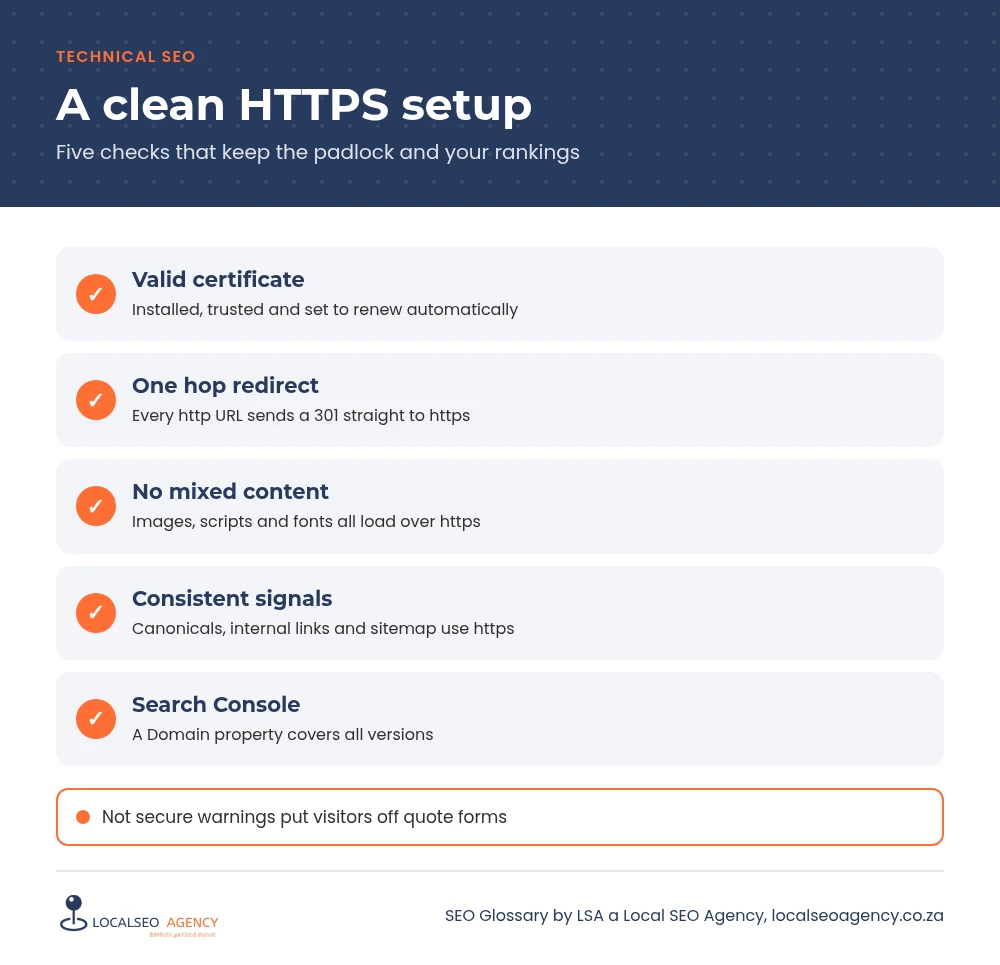
After the certificate is installed, every http URL should 301 redirect to its https version, and internal links, canonicals and your sitemap should all use https.
Common HTTPS mistakes
- Mixed content: images, scripts or fonts still loading over http on an https page.
- Both http and https versions loading without a redirect, creating duplicates.
- Certificates expiring because automatic renewal failed.
- Several hops before reaching the secure page, for example via the www version first.
- Forgetting to add the https property in Google Search Console.
How to check and improve it
Load your site and click the padlock to confirm the certificate is valid and when it expires. Type the http version of a few URLs and check they redirect in one hop to https. Use your browser's developer console to spot mixed content warnings, and search your database for hard coded http links, which WordPress migration plugins can replace in bulk. In Search Console, a Domain property covers every protocol and subdomain in one place.
If you are moving an older site to https for the first time, plan the switch for a quiet trading period, take a full backup and check your analytics, tag manager and advertising accounts afterwards. Payment gateways, booking tools and embedded forms sometimes hold the old http address in their own settings and need updating too.
How LSA helps
LSA a Local SEO Agency checks certificates, redirects and mixed content as part of our technical SEO services, and plans a clean https move for sites still on http so rankings and tracking carry over.
For the short definition, see HTTPS and SSL Certificates in our SEO Glossary, alongside the other technical SEO terms.
Want Google to see your site the way your customers do? Call LSA a Local SEO Agency on 068 786 7331 or contact us for a technical check.