
SEO Glossary: SEO Content

Header tags are the HTML headings that structure a page, from the single H1 at the top down through H2 sections and H3 subsections. They act like the outline of a document, helping readers scan and helping search engines understand how the content fits together.
How the heading levels work
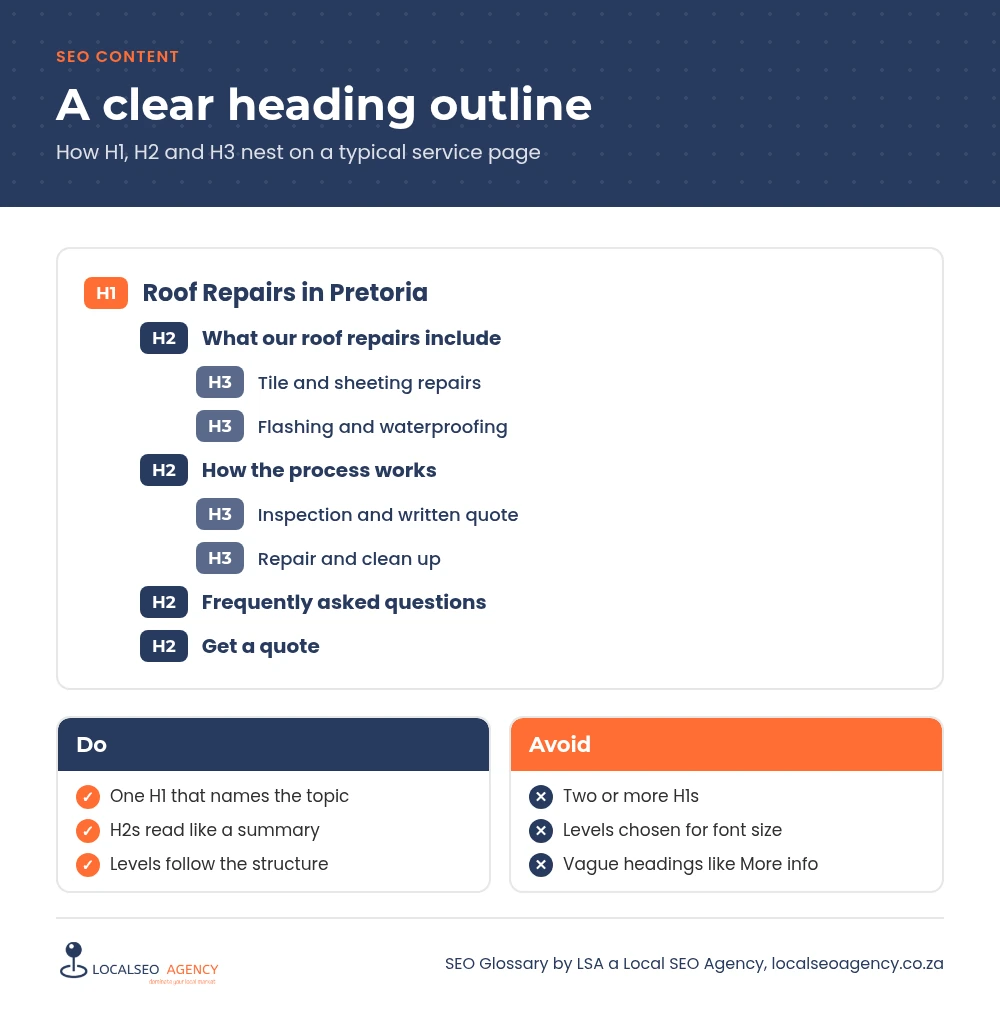
The H1 is the main title of the page, and each page should normally have one. H2 headings mark the main sections. H3 headings sit inside an H2 and break it into smaller parts. H4, H5 and H6 continue the pattern, although most business pages never need to go beyond H3 or H4.
The levels describe structure, not size. A heading is an H3 because it belongs under an H2, not because you want smaller text. Styling should be handled separately in the theme or page builder.
Why headings matter for SEO
Most visitors skim. Clear headings let them jump straight to the part that answers their question, which keeps them on the page. Search engines use headings as one of the clues to what each section is about, and well structured sections are easier for Google to lift into results such as featured snippets.
Headings also matter for accessibility. People using screen readers often navigate a page by its headings, so a logical order makes your site usable for more people.
How to use header tags well
One clear H1
Name the topic of the page plainly. On a service page, that usually means the service and area.
H2s for main sections
Each H2 should describe what the section covers, so the list of H2s on its own reads like a summary of the page.
H3s for detail
Use them for steps, options or questions within a section, keeping the order logical.
Natural wording
Include the words people search for where they fit, but write headings for readers first.
Common header tag mistakes
- Several H1s on one page because the theme and the page builder both add one.
- Choosing heading levels for their font size, so H4 appears before any H2.
- Headings such as Overview or More information that describe nothing.
- Whole paragraphs wrapped in heading tags to make them bold.
- Keyword stuffed headings that read awkwardly.
How to check your headings
Use a free browser extension that lists the headings on a page, or view the page's outline in your SEO plugin. Read only the headings. Do they make sense in order, and do they tell you what the page is about? On WordPress sites built with Elementor, check that the page title and any heading widget are not both set as H1.
Fixing headings is usually quick and low risk, and it is one of the first things to tidy when you improve on page SEO.
How LSA helps
LSA a Local SEO Agency checks the heading structure of your key templates and pages, fixes duplicate H1s and rewrites vague headings so each page reads clearly. It is part of how we write and edit pages in our SEO content services.
For the short definition, see Header Tags (H1 to H6) in our SEO Glossary, alongside the other SEO content terms.
Want pages that bring in enquiries, not just visitors? Call LSA a Local SEO Agency on 068 786 7331 or contact us to talk about your content.