
SEO Glossary: Technical SEO

Install an SEO plugin, turn the light green and you are done? Not quite. SEO plugins are excellent tools for the technical basics, but they cannot do the strategic work for you.
What SEO plugins are
SEO plugins are add ons for content management systems, most commonly WordPress, that give you control over the technical and on page elements of search optimisation without editing code. Well known options include Rank Math, Yoast SEO and All in One SEO. They handle similar jobs, and you should run only one of them at a time.
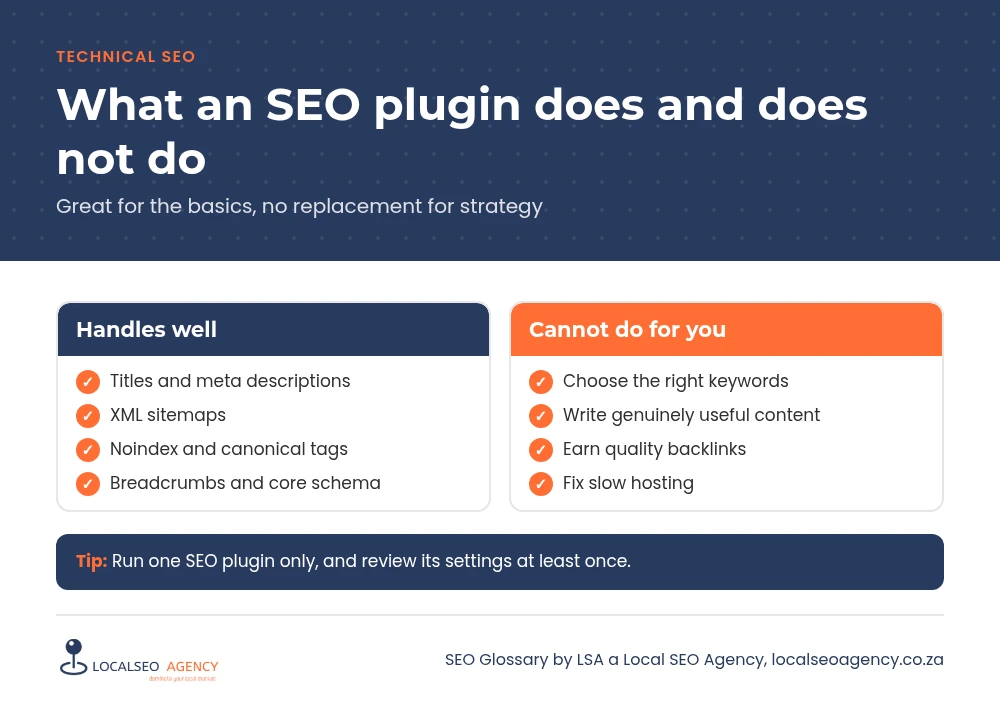
What they handle well
- Title tags and meta descriptions for every page, with site wide templates.
- XML sitemaps that update automatically as you publish.
- Robots meta settings such as noindex for content types or single pages.
- Canonical tags, breadcrumbs and core structured data such as Organization.
- Redirect managers and 404 monitors in some plugins.
- Social sharing previews for Facebook, LinkedIn and X.
What they cannot do
A plugin cannot decide which keywords matter to your business, write content that answers your customers' questions, earn backlinks or fix a slow host. The content scores they show are rough guides built around a single keyword, and a green light does not mean a page will rank. Plugin settings also affect each other: one wrong option can apply a noindex tag to every post on the site.
Why it matters for your business
Many South African business sites have an SEO plugin installed by a developer at launch and never reviewed. That often means default title formats, archive pages left indexable, an incomplete business profile in the schema settings and a sitemap full of URLs nobody wants in Google. A short review of the settings is one of the best value jobs in technical SEO.
Common plugin mistakes
- Running two SEO plugins at once, producing duplicate tags and schema.
- Chasing the content score by repeating the keyword unnaturally.
- Skipping the business profile fields in the plugin setup, so the markup describes nobody.
- Leaving thin archive types open to Google because nobody changed the defaults.
- Switching plugins without migrating titles, metas and redirects.
How to review your setup
Check the global title and meta templates, the indexing settings for each content type and the organisation details. Open your XML sitemap and confirm it lists only pages you want found. View the source of a key page to confirm there is one title, one meta description, one canonical and one schema block. Keep the plugin updated, because SEO plugins change with search engine guidelines.
Choosing between plugins
Rank Math, Yoast SEO and All in One SEO all cover the essentials well. The best choice is usually the one already installed and configured properly, because switching carries risk. If you do switch, use the importer in the new plugin, compare titles, metas and redirects on key pages before and after, and remove the old plugin completely.
How LSA helps
LSA a Local SEO Agency audits and configures SEO plugins as part of our technical SEO services, so the tool does the basics correctly and your effort goes into strategy and content.
For the short definition, see SEO Plugins in our SEO Glossary, alongside the other technical SEO terms.
Questions about your own website? Call LSA a Local SEO Agency on 068 786 7331 or contact us for straightforward advice.